
[fusion_builder_container type= »flex » hundred_percent= »no » hundred_percent_height= »no » min_height_medium= » » min_height_small= » » min_height= » » hundred_percent_height_scroll= »no » align_content= »stretch » flex_align_items= »flex-start » flex_justify_content= »flex-start » flex_column_spacing= » » hundred_percent_height_center_content= »yes » equal_height_columns= »no » container_tag= »div » menu_anchor= » » hide_on_mobile= »small-visibility,medium-visibility,large-visibility » status= »published » publish_date= » » class= » » id= » » margin_top_medium= » » margin_bottom_medium= » » margin_top_small= » » margin_bottom_small= » » margin_top= » » margin_bottom= » » padding_top_medium= » » padding_right_medium= » » padding_bottom_medium= » » padding_left_medium= » » padding_top_small= » » padding_right_small= » » padding_bottom_small= » » padding_left_small= » » padding_top= » » padding_right= » » padding_bottom= » » padding_left= » » link_hover_color= » » hue= » » saturation= » » lightness= » » alpha= » » link_color= » » border_sizes_top= » » border_sizes_right= » » border_sizes_bottom= » » border_sizes_left= » » border_color= » » border_style= »solid » border_radius_top_left= » » border_radius_top_right= » » border_radius_bottom_right= » » border_radius_bottom_left= » » box_shadow= »no » box_shadow_vertical= » » box_shadow_horizontal= » » box_shadow_blur= »0″ box_shadow_spread= »0″ box_shadow_color= » » box_shadow_style= » » z_index= » » overflow= » » gradient_start_color= » » gradient_end_color= » » gradient_start_position= »0″ gradient_end_position= »100″ gradient_type= »linear » radial_direction= »center center » linear_angle= »180″ background_color_medium= » » background_color_small= » » background_color= » » background_image_medium= » » background_image_small= » » background_image= » » skip_lazy_load= » » background_position_medium= » » background_position_small= » » background_position= »center center » background_repeat_medium= » » background_repeat_small= » » background_repeat= »no-repeat » background_size_medium= » » background_size_small= » » background_size= » » background_custom_size= » » background_custom_size_medium= » » background_custom_size_small= » » fade= »no » background_parallax= »none » enable_mobile= »no » parallax_speed= »0.3″ background_blend_mode_medium= » » background_blend_mode_small= » » background_blend_mode= »none » video_mp4= » » video_webm= » » video_ogv= » » video_url= » » video_aspect_ratio= »16:9″ video_loop= »yes » video_mute= »yes » video_preview_image= » » pattern_bg= »none » pattern_custom_bg= » » pattern_bg_color= » » pattern_bg_style= »default » pattern_bg_opacity= »100″ pattern_bg_size= » » pattern_bg_blend_mode= »normal » mask_bg= »none » mask_custom_bg= » » mask_bg_color= » » mask_bg_accent_color= » » mask_bg_style= »default » mask_bg_opacity= »100″ mask_bg_transform= »left » mask_bg_blend_mode= »normal » render_logics= » » absolute= »off » absolute_devices= »small,medium,large » sticky= »off » sticky_devices= »small-visibility,medium-visibility,large-visibility » sticky_background_color= » » sticky_height= » » sticky_offset= » » sticky_transition_offset= »0″ scroll_offset= »0″ animation_type= » » animation_direction= »left » animation_color= » » animation_speed= »0.3″ animation_delay= »0″ animation_offset= » » filter_hue= »0″ filter_saturation= »100″ filter_brightness= »100″ filter_contrast= »100″ filter_invert= »0″ filter_sepia= »0″ filter_opacity= »100″ filter_blur= »0″ filter_hue_hover= »0″ filter_saturation_hover= »100″ filter_brightness_hover= »100″ filter_contrast_hover= »100″ filter_invert_hover= »0″ filter_sepia_hover= »0″ filter_opacity_hover= »100″ filter_blur_hover= »0″][fusion_builder_row][fusion_global id= »1450″][fusion_builder_column type= »3_4″ layout= »3_4″ align_self= »auto » content_layout= »column » align_content= »flex-start » valign_content= »flex-start » content_wrap= »wrap » spacing= » » center_content= »no » column_tag= »div » link= » » target= »_self » link_description= » » min_height= » » hide_on_mobile= »small-visibility,medium-visibility,large-visibility » sticky_display= »normal,sticky » class= » » id= » » background_image_id_medium= » » background_image_id_small= » » background_image_id= » » type_medium= » » type_small= » » order_medium= »0″ order_small= »0″ spacing_left_medium= » » spacing_right_medium= » » spacing_left_small= » » spacing_right_small= » » spacing_left= » » spacing_right= » » margin_top_medium= » » margin_bottom_medium= » » margin_top_small= » » margin_bottom_small= » » margin_top= » » margin_bottom= » » padding_top_medium= » » padding_right_medium= » » padding_bottom_medium= » » padding_left_medium= » » padding_top_small= » » padding_right_small= » » padding_bottom_small= » » padding_left_small= » » padding_top= » » padding_right= » » padding_bottom= » » padding_left= » » hover_type= »none » border_sizes_top= » » border_sizes_right= » » border_sizes_bottom= » » border_sizes_left= » » border_color= » » hue= » » saturation= » » lightness= » » alpha= » » border_style= »solid » border_radius_top_left= » » border_radius_top_right= » » border_radius_bottom_right= » » border_radius_bottom_left= » » box_shadow= »no » box_shadow_vertical= » » box_shadow_horizontal= » » box_shadow_blur= »0″ box_shadow_spread= »0″ box_shadow_color= » » box_shadow_style= » » z_index_hover= » » z_index= » » overflow= » » background_type= »single » gradient_start_color= » » gradient_end_color= » » gradient_start_position= »0″ gradient_end_position= »100″ gradient_type= »linear » radial_direction= »center center » linear_angle= »180″ background_color_medium= » » background_color_small= » » background_color= » » background_image_medium= » » background_image_small= » » background_image= » » lazy_load= »avada » skip_lazy_load= » » background_position_medium= » » background_position_small= » » background_position= »left top » background_repeat_medium= » » background_repeat_small= » » background_repeat= »no-repeat » background_size_medium= » » background_size_small= » » background_size= » » background_custom_size= » » background_custom_size_medium= » » background_custom_size_small= » » background_blend_mode_medium= » » background_blend_mode_small= » » background_blend_mode= »none » render_logics= » » sticky= »off » sticky_devices= »small-visibility,medium-visibility,large-visibility » sticky_offset= » » absolute= »off » absolute_top= » » absolute_right= » » absolute_bottom= » » absolute_left= » » filter_type= »regular » filter_hover_element= »self » filter_hue= »0″ filter_saturation= »100″ filter_brightness= »100″ filter_contrast= »100″ filter_invert= »0″ filter_sepia= »0″ filter_opacity= »100″ filter_blur= »0″ filter_hue_hover= »0″ filter_saturation_hover= »100″ filter_brightness_hover= »100″ filter_contrast_hover= »100″ filter_invert_hover= »0″ filter_sepia_hover= »0″ filter_opacity_hover= »100″ filter_blur_hover= »0″ transform_type= »regular » transform_hover_element= »self » transform_scale_x= »1″ transform_scale_y= »1″ transform_translate_x= »0″ transform_translate_y= »0″ transform_rotate= »0″ transform_skew_x= »0″ transform_skew_y= »0″ transform_origin= » » transform_scale_x_hover= »1″ transform_scale_y_hover= »1″ transform_translate_x_hover= »0″ transform_translate_y_hover= »0″ transform_rotate_hover= »0″ transform_skew_x_hover= »0″ transform_skew_y_hover= »0″ transition_duration= »300″ transition_easing= »ease » transition_custom_easing= » » motion_effects= »W3sidHlwZSI6IiIsInNjcm9sbF90eXBlIjoidHJhbnNpdGlvbiIsInNjcm9sbF9kaXJlY3Rpb24iOiJ1cCIsInRyYW5zaXRpb25fc3BlZWQiOiIxIiwiZmFkZV90eXBlIjoiaW4iLCJzY2FsZV90eXBlIjoidXAiLCJpbml0aWFsX3NjYWxlIjoiMSIsIm1heF9zY2FsZSI6IjEuNSIsIm1pbl9zY2FsZSI6IjAuNSIsImluaXRpYWxfcm90YXRlIjoiMCIsImVuZF9yb3RhdGUiOiIzMCIsImluaXRpYWxfYmx1ciI6IjAiLCJlbmRfYmx1ciI6IjMiLCJzdGFydF9lbGVtZW50IjoidG9wIiwic3RhcnRfdmlld3BvcnQiOiJib3R0b20iLCJlbmRfZWxlbWVudCI6ImJvdHRvbSIsImVuZF92aWV3cG9ydCI6InRvcCIsIm1vdXNlX2VmZmVjdCI6InRyYWNrIiwibW91c2VfZWZmZWN0X2RpcmVjdGlvbiI6Im9wcG9zaXRlIiwibW91c2VfZWZmZWN0X3NwZWVkIjoiMiIsImluZmluaXRlX2FuaW1hdGlvbiI6ImZsb2F0IiwiaW5maW5pdGVfYW5pbWF0aW9uX3NwZWVkIjoiMiJ9XQ== » scroll_motion_devices= »small-visibility,medium-visibility,large-visibility » animation_type= » » animation_direction= »left » animation_color= » » animation_speed= »0.3″ animation_delay= »0″ animation_offset= » » last= »true » border_position= »all » first= »false »][fusion_text columns= » » column_min_width= » » column_spacing= » » rule_style= » » rule_size= » » rule_color= » » hue= » » saturation= » » lightness= » » alpha= » » content_alignment_medium= » » content_alignment_small= » » content_alignment= » » hide_on_mobile= »small-visibility,medium-visibility,large-visibility » sticky_display= »normal,sticky » class= » » id= » » margin_top= » » margin_right= » » margin_bottom= » » margin_left= » » fusion_font_family_text_font= » » fusion_font_variant_text_font= » » font_size= » » line_height= » » letter_spacing= » » text_transform= » » text_color= » » animation_type= » » animation_direction= »left » animation_color= » » animation_speed= »0.3″ animation_delay= »0″ animation_offset= » » logics= » »]
Remixer
Utilisez le mode Remix pour modifier les prompts, les paramètres, les versions de modèle ou les rapports d’aspect entre les variations. Remix prendra la composition générale de votre image de départ et l’utilisera dans le cadre du nouveau Job. Le remixage peut aider à modifier le cadre ou l’éclairage d’une image, à faire évoluer un sujet ou à réaliser des compositions délicates.
Remixest une fonctionnalité expérimentale qui peut changer ou être supprimée à tout moment.
Utiliser Remix
Activez le mode Remix avec la /prefer remix commande ou en utilisant la /settings commande et en basculant le bouton 🎛️ Remix Mode . Remix modifie le comportement des boutons de variation (V1, V2, V3, V4) sous les grilles d’image. Lorsque Remix est activé, il vous permet de modifier votre prompt lors de chaque variation. Pour remixer un agrandissement, sélectionnez 🪄Make Variations.
LorsqueRemixest activé, les boutons de variation deviennent verts lorsqu’ils sont utilisés au lieu de bleus.Vous pouvez changer de version de modèle lorsque vous utilisez Remix.Lorsque vous avez terminé avec Remix, utilisez la commande/settingsou/remixpour le désactiver.Créez une variation d’image standard lorsque Remix est actif en ne modifiant pas l’invite dans la fenêtre contextuelle.
[/fusion_text][fusion_builder_row_inner][fusion_builder_column_inner type= »1_3″ layout= »1_4″ align_self= »auto » content_layout= »column » align_content= »flex-start » valign_content= »flex-start » content_wrap= »wrap » spacing= » » center_content= »no » column_tag= »div » link= » » target= »_self » link_description= » » min_height= » » hide_on_mobile= »small-visibility,medium-visibility,large-visibility » sticky_display= »normal,sticky » class= » » id= » » type_medium= » » type_small= » » order_medium= »0″ order_small= »0″ dimension_spacing_medium= » » dimension_spacing_small= » » dimension_spacing= » » dimension_margin_medium= » » dimension_margin_small= » » dimension_margin= » » padding_medium= » » padding_small= » » padding_top= » » padding_right= » » padding_bottom= » » padding_left= » » hover_type= »none » border_sizes= » » border_color= » » border_style= »solid » border_radius= » » box_shadow= »no » dimension_box_shadow= » » box_shadow_blur= »0″ box_shadow_spread= »0″ box_shadow_color= » » box_shadow_style= » » z_index_hover= » » z_index= » » overflow= » » background_type= »single » gradient_start_color= » » gradient_end_color= » » gradient_start_position= »0″ gradient_end_position= »100″ gradient_type= »linear » radial_direction= »center center » linear_angle= »180″ background_color_medium= » » background_color_small= » » background_color= » » background_image_medium= » » background_image_small= » » background_image= » » background_image_id_medium= » » background_image_id_small= » » background_image_id= » » lazy_load= »avada » skip_lazy_load= » » background_position_medium= » » background_position_small= » » background_position= »left top » background_repeat_medium= » » background_repeat_small= » » background_repeat= »no-repeat » background_size_medium= » » background_size_small= » » background_size= » » background_custom_size= » » background_custom_size_medium= » » background_custom_size_small= » » background_blend_mode_medium= » » background_blend_mode_small= » » background_blend_mode= »none » render_logics= » » sticky= »off » sticky_devices= »small-visibility,medium-visibility,large-visibility » sticky_offset= » » absolute= »off » absolute_props= » » filter_type= »regular » filter_hover_element= »self » filter_hue= »0″ filter_saturation= »100″ filter_brightness= »100″ filter_contrast= »100″ filter_invert= »0″ filter_sepia= »0″ filter_opacity= »100″ filter_blur= »0″ filter_hue_hover= »0″ filter_saturation_hover= »100″ filter_brightness_hover= »100″ filter_contrast_hover= »100″ filter_invert_hover= »0″ filter_sepia_hover= »0″ filter_opacity_hover= »100″ filter_blur_hover= »0″ transform_type= »regular » transform_hover_element= »self » transform_scale_x= »1″ transform_scale_y= »1″ transform_translate_x= »0″ transform_translate_y= »0″ transform_rotate= »0″ transform_skew_x= »0″ transform_skew_y= »0″ transform_scale_x_hover= »1″ transform_scale_y_hover= »1″ transform_translate_x_hover= »0″ transform_translate_y_hover= »0″ transform_rotate_hover= »0″ transform_skew_x_hover= »0″ transform_skew_y_hover= »0″ transform_origin= » » transition_duration= »300″ transition_easing= »ease » transition_custom_easing= » » motion_effects= » » scroll_motion_devices= »small-visibility,medium-visibility,large-visibility » animation_type= » » animation_direction= »left » animation_color= » » animation_speed= »0.3″ animation_delay= »0″ animation_offset= » » last= »false » border_position= »all » first= »true » spacing_right= » »][fusion_text columns= » » column_min_width= » » column_spacing= » » rule_style= » » rule_size= » » rule_color= » » hue= » » saturation= » » lightness= » » alpha= » » content_alignment_medium= » » content_alignment_small= » » content_alignment= » » hide_on_mobile= »small-visibility,medium-visibility,large-visibility » sticky_display= »normal,sticky » class= » » id= » » margin_top= » » margin_right= » » margin_bottom= » » margin_left= » » fusion_font_family_text_font= » » fusion_font_variant_text_font= » » font_size= » » line_height= » » letter_spacing= » » text_transform= » » text_color= » » animation_type= » » animation_direction= »left » animation_color= » » animation_speed= »0.3″ animation_delay= »0″ animation_offset= » »]
Étape 1
line-art stack of pumpkins
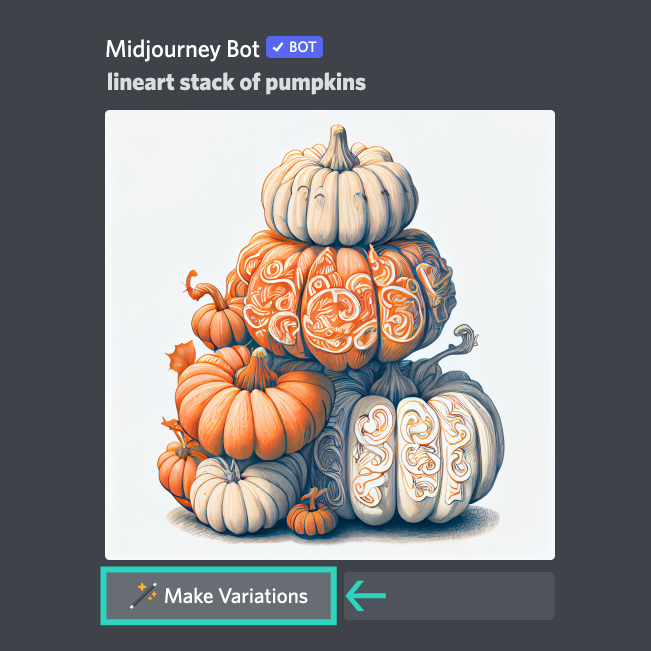
Activez le mode Remix.
Sélectionnez une grille d’image ou une image mise à l’échelle à remixer.
[/fusion_text][/fusion_builder_column_inner][fusion_builder_column_inner type= »1_3″ layout= »1_4″ align_self= »auto » content_layout= »column » align_content= »flex-start » valign_content= »flex-start » content_wrap= »wrap » spacing= » » center_content= »no » column_tag= »div » link= » » target= »_self » link_description= » » min_height= » » hide_on_mobile= »small-visibility,medium-visibility,large-visibility » sticky_display= »normal,sticky » class= » » id= » » type_medium= » » type_small= » » order_medium= »0″ order_small= »0″ dimension_spacing_medium= » » dimension_spacing_small= » » dimension_spacing= » » dimension_margin_medium= » » dimension_margin_small= » » dimension_margin= » » padding_medium= » » padding_small= » » padding_top= » » padding_right= » » padding_bottom= » » padding_left= » » hover_type= »none » border_sizes= » » border_color= » » border_style= »solid » border_radius= » » box_shadow= »no » dimension_box_shadow= » » box_shadow_blur= »0″ box_shadow_spread= »0″ box_shadow_color= » » box_shadow_style= » » z_index_hover= » » z_index= » » overflow= » » background_type= »single » gradient_start_color= » » gradient_end_color= » » gradient_start_position= »0″ gradient_end_position= »100″ gradient_type= »linear » radial_direction= »center center » linear_angle= »180″ background_color_medium= » » background_color_small= » » background_color= » » background_image_medium= » » background_image_small= » » background_image= » » background_image_id_medium= » » background_image_id_small= » » background_image_id= » » lazy_load= »avada » skip_lazy_load= » » background_position_medium= » » background_position_small= » » background_position= »left top » background_repeat_medium= » » background_repeat_small= » » background_repeat= »no-repeat » background_size_medium= » » background_size_small= » » background_size= » » background_custom_size= » » background_custom_size_medium= » » background_custom_size_small= » » background_blend_mode_medium= » » background_blend_mode_small= » » background_blend_mode= »none » render_logics= » » sticky= »off » sticky_devices= »small-visibility,medium-visibility,large-visibility » sticky_offset= » » absolute= »off » absolute_props= » » filter_type= »regular » filter_hover_element= »self » filter_hue= »0″ filter_saturation= »100″ filter_brightness= »100″ filter_contrast= »100″ filter_invert= »0″ filter_sepia= »0″ filter_opacity= »100″ filter_blur= »0″ filter_hue_hover= »0″ filter_saturation_hover= »100″ filter_brightness_hover= »100″ filter_contrast_hover= »100″ filter_invert_hover= »0″ filter_sepia_hover= »0″ filter_opacity_hover= »100″ filter_blur_hover= »0″ transform_type= »regular » transform_hover_element= »self » transform_scale_x= »1″ transform_scale_y= »1″ transform_translate_x= »0″ transform_translate_y= »0″ transform_rotate= »0″ transform_skew_x= »0″ transform_skew_y= »0″ transform_scale_x_hover= »1″ transform_scale_y_hover= »1″ transform_translate_x_hover= »0″ transform_translate_y_hover= »0″ transform_rotate_hover= »0″ transform_skew_x_hover= »0″ transform_skew_y_hover= »0″ transform_origin= » » transition_duration= »300″ transition_easing= »ease » transition_custom_easing= » » motion_effects= » » scroll_motion_devices= »small-visibility,medium-visibility,large-visibility » animation_type= » » animation_direction= »left » animation_color= » » animation_speed= »0.3″ animation_delay= »0″ animation_offset= » » last= »false » border_position= »all » first= »false » spacing_right= » »][fusion_text columns= » » column_min_width= » » column_spacing= » » rule_style= » » rule_size= » » rule_color= » » hue= » » saturation= » » lightness= » » alpha= » » content_alignment_medium= » » content_alignment_small= » » content_alignment= » » hide_on_mobile= »small-visibility,medium-visibility,large-visibility » sticky_display= »normal,sticky » class= » » id= » » margin_top= » » margin_right= » » margin_bottom= » » margin_left= » » fusion_font_family_text_font= » » fusion_font_variant_text_font= » » font_size= » » line_height= » » letter_spacing= » » text_transform= » » text_color= » » animation_type= » » animation_direction= »left » animation_color= » » animation_speed= »0.3″ animation_delay= »0″ animation_offset= » » logics= » »]
Étape 2
Remix
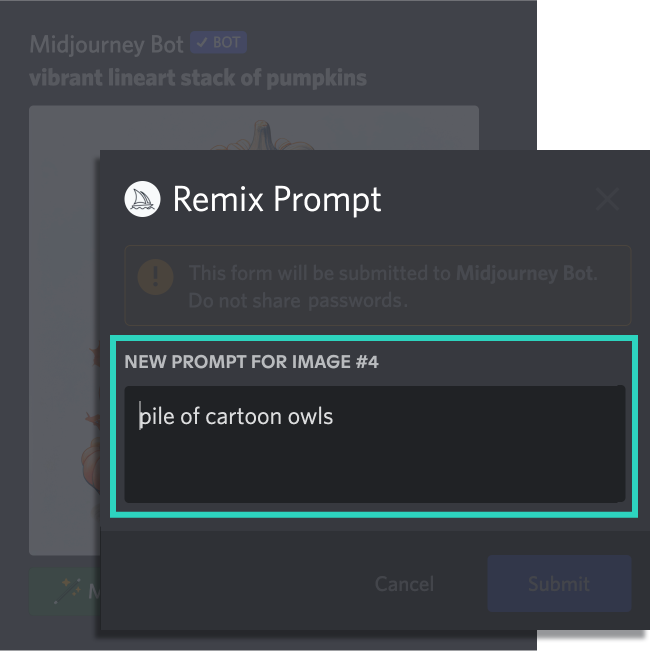
Sélectionnez « Effectuer des variantes ».
Modifiez ou saisissez un nouveau prompt dans la fenêtre contextuelle.
[/fusion_text][/fusion_builder_column_inner][fusion_builder_column_inner type= »1_3″ layout= »1_4″ align_self= »auto » content_layout= »column » align_content= »flex-start » valign_content= »flex-start » content_wrap= »wrap » spacing= » » center_content= »no » column_tag= »div » link= » » target= »_self » link_description= » » min_height= » » hide_on_mobile= »small-visibility,medium-visibility,large-visibility » sticky_display= »normal,sticky » class= » » id= » » type_medium= » » type_small= » » order_medium= »0″ order_small= »0″ dimension_spacing_medium= » » dimension_spacing_small= » » dimension_spacing= » » dimension_margin_medium= » » dimension_margin_small= » » dimension_margin= » » padding_medium= » » padding_small= » » padding_top= » » padding_right= » » padding_bottom= » » padding_left= » » hover_type= »none » border_sizes= » » border_color= » » border_style= »solid » border_radius= » » box_shadow= »no » dimension_box_shadow= » » box_shadow_blur= »0″ box_shadow_spread= »0″ box_shadow_color= » » box_shadow_style= » » z_index_hover= » » z_index= » » overflow= » » background_type= »single » gradient_start_color= » » gradient_end_color= » » gradient_start_position= »0″ gradient_end_position= »100″ gradient_type= »linear » radial_direction= »center center » linear_angle= »180″ background_color_medium= » » background_color_small= » » background_color= » » background_image_medium= » » background_image_small= » » background_image= » » background_image_id_medium= » » background_image_id_small= » » background_image_id= » » lazy_load= »avada » skip_lazy_load= » » background_position_medium= » » background_position_small= » » background_position= »left top » background_repeat_medium= » » background_repeat_small= » » background_repeat= »no-repeat » background_size_medium= » » background_size_small= » » background_size= » » background_custom_size= » » background_custom_size_medium= » » background_custom_size_small= » » background_blend_mode_medium= » » background_blend_mode_small= » » background_blend_mode= »none » render_logics= » » sticky= »off » sticky_devices= »small-visibility,medium-visibility,large-visibility » sticky_offset= » » absolute= »off » absolute_props= » » filter_type= »regular » filter_hover_element= »self » filter_hue= »0″ filter_saturation= »100″ filter_brightness= »100″ filter_contrast= »100″ filter_invert= »0″ filter_sepia= »0″ filter_opacity= »100″ filter_blur= »0″ filter_hue_hover= »0″ filter_saturation_hover= »100″ filter_brightness_hover= »100″ filter_contrast_hover= »100″ filter_invert_hover= »0″ filter_sepia_hover= »0″ filter_opacity_hover= »100″ filter_blur_hover= »0″ transform_type= »regular » transform_hover_element= »self » transform_scale_x= »1″ transform_scale_y= »1″ transform_translate_x= »0″ transform_translate_y= »0″ transform_rotate= »0″ transform_skew_x= »0″ transform_skew_y= »0″ transform_scale_x_hover= »1″ transform_scale_y_hover= »1″ transform_translate_x_hover= »0″ transform_translate_y_hover= »0″ transform_rotate_hover= »0″ transform_skew_x_hover= »0″ transform_skew_y_hover= »0″ transform_origin= » » transition_duration= »300″ transition_easing= »ease » transition_custom_easing= » » motion_effects= » » scroll_motion_devices= »small-visibility,medium-visibility,large-visibility » animation_type= » » animation_direction= »left » animation_color= » » animation_speed= »0.3″ animation_delay= »0″ animation_offset= » » last= »true » border_position= »all » first= »false » spacing_right= » »][fusion_text columns= » » column_min_width= » » column_spacing= » » rule_style= » » rule_size= » » rule_color= » » hue= » » saturation= » » lightness= » » alpha= » » content_alignment_medium= » » content_alignment_small= » » content_alignment= » » hide_on_mobile= »small-visibility,medium-visibility,large-visibility » sticky_display= »normal,sticky » class= » » id= » » margin_top= » » margin_right= » » margin_bottom= » » margin_left= » » fusion_font_family_text_font= » » fusion_font_variant_text_font= » » font_size= » » line_height= » » letter_spacing= » » text_transform= » » text_color= » » animation_type= » » animation_direction= »left » animation_color= » » animation_speed= »0.3″ animation_delay= »0″ animation_offset= » » logics= » »]
Résultats
pile of cartoon owls
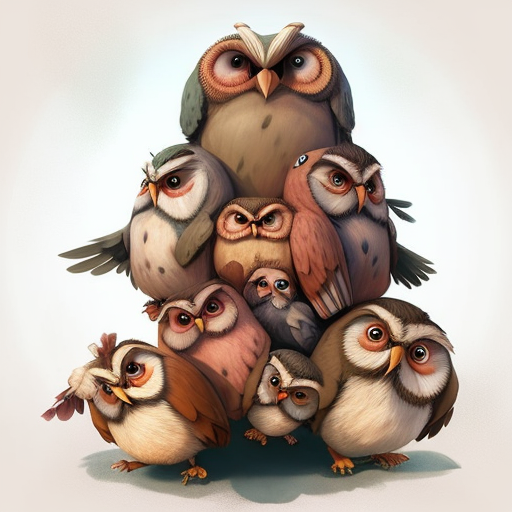
Le Midjourney Bot génère une image à l’aide du nouveau prompt avec l’influence de l’image d’origine.
[/fusion_text][/fusion_builder_column_inner][fusion_builder_column_inner type= »1_4″ layout= »1_4″ align_self= »auto » content_layout= »column » align_content= »flex-start » valign_content= »flex-start » content_wrap= »wrap » spacing= » » center_content= »no » column_tag= »div » link= » » target= »_self » link_description= » » min_height= » » hide_on_mobile= »small-visibility,medium-visibility,large-visibility » sticky_display= »normal,sticky » class= » » id= » » type_medium= » » type_small= » » order_medium= »0″ order_small= »0″ dimension_spacing_medium= » » dimension_spacing_small= » » dimension_spacing= » » dimension_margin_medium= » » dimension_margin_small= » » dimension_margin= » » padding_medium= » » padding_small= » » padding_top= » » padding_right= » » padding_bottom= » » padding_left= » » hover_type= »none » border_sizes= » » border_color= » » border_style= »solid » border_radius= » » box_shadow= »no » dimension_box_shadow= » » box_shadow_blur= »0″ box_shadow_spread= »0″ box_shadow_color= » » box_shadow_style= » » z_index_hover= » » z_index= » » overflow= » » background_type= »single » gradient_start_color= » » gradient_end_color= » » gradient_start_position= »0″ gradient_end_position= »100″ gradient_type= »linear » radial_direction= »center center » linear_angle= »180″ background_color_medium= » » background_color_small= » » background_color= » » background_image_medium= » » background_image_small= » » background_image= » » background_image_id_medium= » » background_image_id_small= » » background_image_id= » » lazy_load= »avada » skip_lazy_load= » » background_position_medium= » » background_position_small= » » background_position= »left top » background_repeat_medium= » » background_repeat_small= » » background_repeat= »no-repeat » background_size_medium= » » background_size_small= » » background_size= » » background_custom_size= » » background_custom_size_medium= » » background_custom_size_small= » » background_blend_mode_medium= » » background_blend_mode_small= » » background_blend_mode= »none » render_logics= » » sticky= »off » sticky_devices= »small-visibility,medium-visibility,large-visibility » sticky_offset= » » absolute= »off » absolute_props= » » filter_type= »regular » filter_hover_element= »self » filter_hue= »0″ filter_saturation= »100″ filter_brightness= »100″ filter_contrast= »100″ filter_invert= »0″ filter_sepia= »0″ filter_opacity= »100″ filter_blur= »0″ filter_hue_hover= »0″ filter_saturation_hover= »100″ filter_brightness_hover= »100″ filter_contrast_hover= »100″ filter_invert_hover= »0″ filter_sepia_hover= »0″ filter_opacity_hover= »100″ filter_blur_hover= »0″ transform_type= »regular » transform_hover_element= »self » transform_scale_x= »1″ transform_scale_y= »1″ transform_translate_x= »0″ transform_translate_y= »0″ transform_rotate= »0″ transform_skew_x= »0″ transform_skew_y= »0″ transform_scale_x_hover= »1″ transform_scale_y_hover= »1″ transform_translate_x_hover= »0″ transform_translate_y_hover= »0″ transform_rotate_hover= »0″ transform_skew_x_hover= »0″ transform_skew_y_hover= »0″ transform_origin= » » transition_duration= »300″ transition_easing= »ease » transition_custom_easing= » » motion_effects= » » scroll_motion_devices= »small-visibility,medium-visibility,large-visibility » animation_type= » » animation_direction= »left » animation_color= » » animation_speed= »0.3″ animation_delay= »0″ animation_offset= » » last= »false » border_position= »all » first= »true » spacing_right= » »][fusion_text columns= » » column_min_width= » » column_spacing= » » rule_style= » » rule_size= » » rule_color= » » hue= » » saturation= » » lightness= » » alpha= » » content_alignment_medium= » » content_alignment_small= » » content_alignment= » » hide_on_mobile= »small-visibility,medium-visibility,large-visibility » sticky_display= »normal,sticky » class= » » id= » » margin_top= » » margin_right= » » margin_bottom= » » margin_left= » » fusion_font_family_text_font= » » fusion_font_variant_text_font= » » font_size= » » line_height= » » letter_spacing= » » text_transform= » » text_color= » » animation_type= » » animation_direction= »left » animation_color= » » animation_speed= »0.3″ animation_delay= »0″ animation_offset= » »]
Image de départ
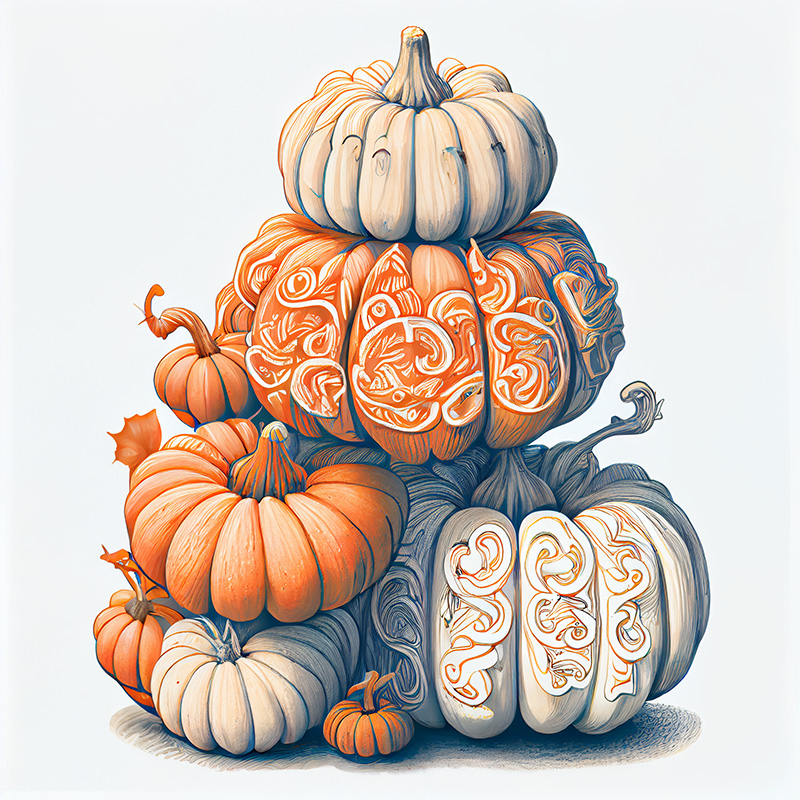
line-art stack of pumpkins
[/fusion_text][/fusion_builder_column_inner][fusion_builder_column_inner type= »1_4″ layout= »1_4″ align_self= »auto » content_layout= »column » align_content= »flex-start » valign_content= »flex-start » content_wrap= »wrap » spacing= » » center_content= »no » column_tag= »div » link= » » target= »_self » link_description= » » min_height= » » hide_on_mobile= »small-visibility,medium-visibility,large-visibility » sticky_display= »normal,sticky » class= » » id= » » type_medium= » » type_small= » » order_medium= »0″ order_small= »0″ dimension_spacing_medium= » » dimension_spacing_small= » » dimension_spacing= » » dimension_margin_medium= » » dimension_margin_small= » » dimension_margin= » » padding_medium= » » padding_small= » » padding_top= » » padding_right= » » padding_bottom= » » padding_left= » » hover_type= »none » border_sizes= » » border_color= » » border_style= »solid » border_radius= » » box_shadow= »no » dimension_box_shadow= » » box_shadow_blur= »0″ box_shadow_spread= »0″ box_shadow_color= » » box_shadow_style= » » z_index_hover= » » z_index= » » overflow= » » background_type= »single » gradient_start_color= » » gradient_end_color= » » gradient_start_position= »0″ gradient_end_position= »100″ gradient_type= »linear » radial_direction= »center center » linear_angle= »180″ background_color_medium= » » background_color_small= » » background_color= » » background_image_medium= » » background_image_small= » » background_image= » » background_image_id_medium= » » background_image_id_small= » » background_image_id= » » lazy_load= »avada » skip_lazy_load= » » background_position_medium= » » background_position_small= » » background_position= »left top » background_repeat_medium= » » background_repeat_small= » » background_repeat= »no-repeat » background_size_medium= » » background_size_small= » » background_size= » » background_custom_size= » » background_custom_size_medium= » » background_custom_size_small= » » background_blend_mode_medium= » » background_blend_mode_small= » » background_blend_mode= »none » render_logics= » » sticky= »off » sticky_devices= »small-visibility,medium-visibility,large-visibility » sticky_offset= » » absolute= »off » absolute_props= » » filter_type= »regular » filter_hover_element= »self » filter_hue= »0″ filter_saturation= »100″ filter_brightness= »100″ filter_contrast= »100″ filter_invert= »0″ filter_sepia= »0″ filter_opacity= »100″ filter_blur= »0″ filter_hue_hover= »0″ filter_saturation_hover= »100″ filter_brightness_hover= »100″ filter_contrast_hover= »100″ filter_invert_hover= »0″ filter_sepia_hover= »0″ filter_opacity_hover= »100″ filter_blur_hover= »0″ transform_type= »regular » transform_hover_element= »self » transform_scale_x= »1″ transform_scale_y= »1″ transform_translate_x= »0″ transform_translate_y= »0″ transform_rotate= »0″ transform_skew_x= »0″ transform_skew_y= »0″ transform_scale_x_hover= »1″ transform_scale_y_hover= »1″ transform_translate_x_hover= »0″ transform_translate_y_hover= »0″ transform_rotate_hover= »0″ transform_skew_x_hover= »0″ transform_skew_y_hover= »0″ transform_origin= » » transition_duration= »300″ transition_easing= »ease » transition_custom_easing= » » motion_effects= » » scroll_motion_devices= »small-visibility,medium-visibility,large-visibility » animation_type= » » animation_direction= »left » animation_color= » » animation_speed= »0.3″ animation_delay= »0″ animation_offset= » » last= »false » border_position= »all » first= »false » spacing_right= » »][fusion_text columns= » » column_min_width= » » column_spacing= » » rule_style= » » rule_size= » » rule_color= » » hue= » » saturation= » » lightness= » » alpha= » » content_alignment_medium= » » content_alignment_small= » » content_alignment= » » hide_on_mobile= »small-visibility,medium-visibility,large-visibility » sticky_display= »normal,sticky » class= » » id= » » margin_top= » » margin_right= » » margin_bottom= » » margin_left= » » fusion_font_family_text_font= » » fusion_font_variant_text_font= » » font_size= » » line_height= » » letter_spacing= » » text_transform= » » text_color= » » animation_type= » » animation_direction= »left » animation_color= » » animation_speed= »0.3″ animation_delay= »0″ animation_offset= » »]
Changement de modèle
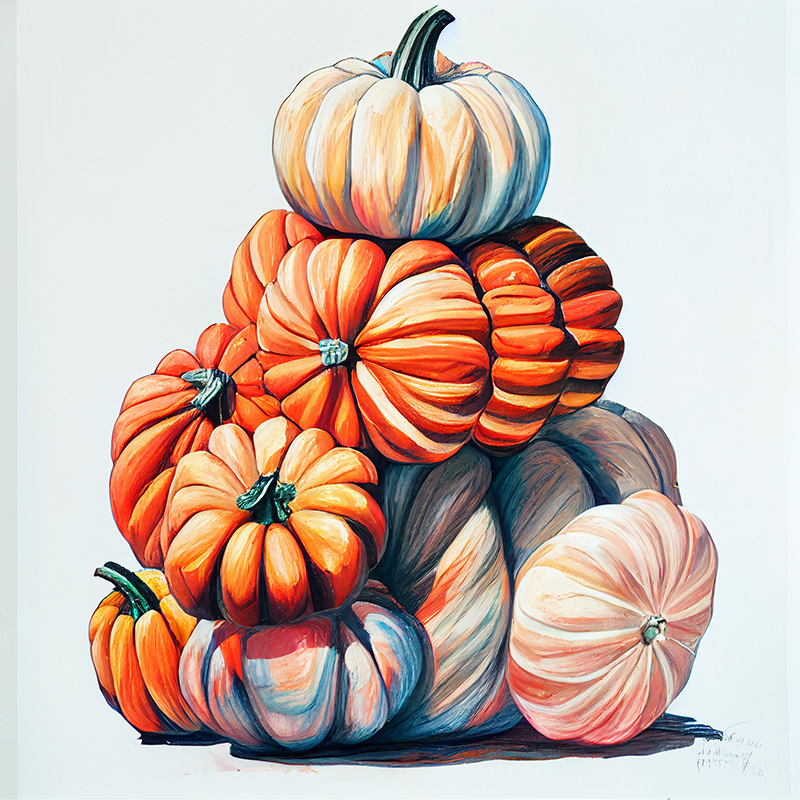
line-art stack of pumpkins –test
[/fusion_text][/fusion_builder_column_inner][fusion_builder_column_inner type= »1_4″ layout= »1_4″ align_self= »auto » content_layout= »column » align_content= »flex-start » valign_content= »flex-start » content_wrap= »wrap » spacing= » » center_content= »no » column_tag= »div » link= » » target= »_self » link_description= » » min_height= » » hide_on_mobile= »small-visibility,medium-visibility,large-visibility » sticky_display= »normal,sticky » class= » » id= » » type_medium= » » type_small= » » order_medium= »0″ order_small= »0″ dimension_spacing_medium= » » dimension_spacing_small= » » dimension_spacing= » » dimension_margin_medium= » » dimension_margin_small= » » dimension_margin= » » padding_medium= » » padding_small= » » padding_top= » » padding_right= » » padding_bottom= » » padding_left= » » hover_type= »none » border_sizes= » » border_color= » » border_style= »solid » border_radius= » » box_shadow= »no » dimension_box_shadow= » » box_shadow_blur= »0″ box_shadow_spread= »0″ box_shadow_color= » » box_shadow_style= » » z_index_hover= » » z_index= » » overflow= » » background_type= »single » gradient_start_color= » » gradient_end_color= » » gradient_start_position= »0″ gradient_end_position= »100″ gradient_type= »linear » radial_direction= »center center » linear_angle= »180″ background_color_medium= » » background_color_small= » » background_color= » » background_image_medium= » » background_image_small= » » background_image= » » background_image_id_medium= » » background_image_id_small= » » background_image_id= » » lazy_load= »avada » skip_lazy_load= » » background_position_medium= » » background_position_small= » » background_position= »left top » background_repeat_medium= » » background_repeat_small= » » background_repeat= »no-repeat » background_size_medium= » » background_size_small= » » background_size= » » background_custom_size= » » background_custom_size_medium= » » background_custom_size_small= » » background_blend_mode_medium= » » background_blend_mode_small= » » background_blend_mode= »none » render_logics= » » sticky= »off » sticky_devices= »small-visibility,medium-visibility,large-visibility » sticky_offset= » » absolute= »off » absolute_props= » » filter_type= »regular » filter_hover_element= »self » filter_hue= »0″ filter_saturation= »100″ filter_brightness= »100″ filter_contrast= »100″ filter_invert= »0″ filter_sepia= »0″ filter_opacity= »100″ filter_blur= »0″ filter_hue_hover= »0″ filter_saturation_hover= »100″ filter_brightness_hover= »100″ filter_contrast_hover= »100″ filter_invert_hover= »0″ filter_sepia_hover= »0″ filter_opacity_hover= »100″ filter_blur_hover= »0″ transform_type= »regular » transform_hover_element= »self » transform_scale_x= »1″ transform_scale_y= »1″ transform_translate_x= »0″ transform_translate_y= »0″ transform_rotate= »0″ transform_skew_x= »0″ transform_skew_y= »0″ transform_scale_x_hover= »1″ transform_scale_y_hover= »1″ transform_translate_x_hover= »0″ transform_translate_y_hover= »0″ transform_rotate_hover= »0″ transform_skew_x_hover= »0″ transform_skew_y_hover= »0″ transform_origin= » » transition_duration= »300″ transition_easing= »ease » transition_custom_easing= » » motion_effects= » » scroll_motion_devices= »small-visibility,medium-visibility,large-visibility » animation_type= » » animation_direction= »left » animation_color= » » animation_speed= »0.3″ animation_delay= »0″ animation_offset= » » last= »false » border_position= »all » first= »false » spacing_right= » »][fusion_text columns= » » column_min_width= » » column_spacing= » » rule_style= » » rule_size= » » rule_color= » » hue= » » saturation= » » lightness= » » alpha= » » content_alignment_medium= » » content_alignment_small= » » content_alignment= » » hide_on_mobile= »small-visibility,medium-visibility,large-visibility » sticky_display= »normal,sticky » class= » » id= » » margin_top= » » margin_right= » » margin_bottom= » » margin_left= » » fusion_font_family_text_font= » » fusion_font_variant_text_font= » » font_size= » » line_height= » » letter_spacing= » » text_transform= » » text_color= » » animation_type= » » animation_direction= »left » animation_color= » » animation_speed= »0.3″ animation_delay= »0″ animation_offset= » »]
Changement de sujet
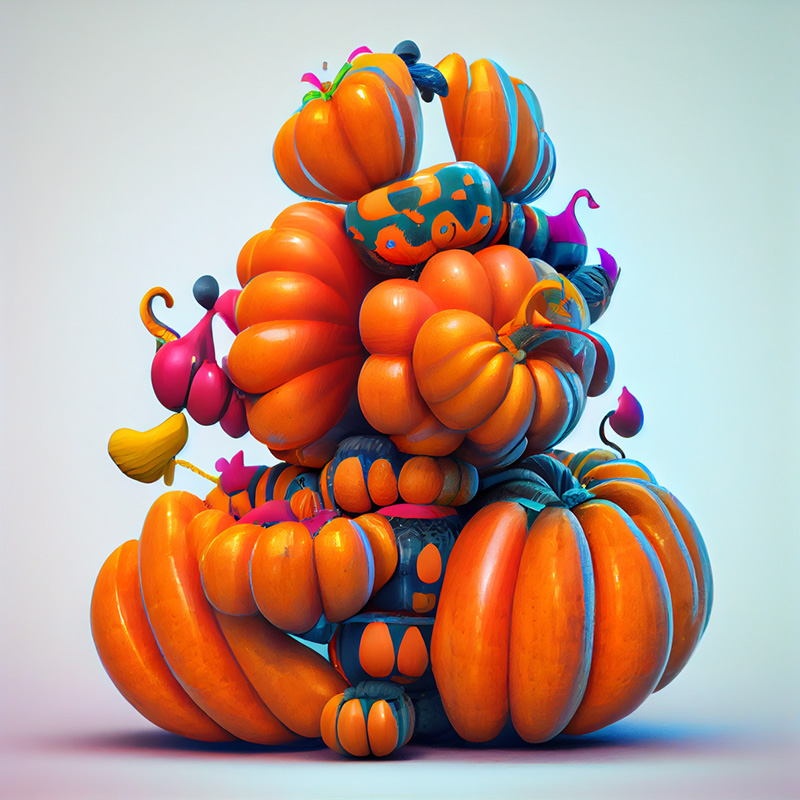
balloon-animal shaped stack of pumpkins »
[/fusion_text][/fusion_builder_column_inner][fusion_builder_column_inner type= »1_4″ layout= »1_4″ align_self= »auto » content_layout= »column » align_content= »flex-start » valign_content= »flex-start » content_wrap= »wrap » spacing= » » center_content= »no » column_tag= »div » link= » » target= »_self » link_description= » » min_height= » » hide_on_mobile= »small-visibility,medium-visibility,large-visibility » sticky_display= »normal,sticky » class= » » id= » » type_medium= » » type_small= » » order_medium= »0″ order_small= »0″ dimension_spacing_medium= » » dimension_spacing_small= » » dimension_spacing= » » dimension_margin_medium= » » dimension_margin_small= » » dimension_margin= » » padding_medium= » » padding_small= » » padding_top= » » padding_right= » » padding_bottom= » » padding_left= » » hover_type= »none » border_sizes= » » border_color= » » border_style= »solid » border_radius= » » box_shadow= »no » dimension_box_shadow= » » box_shadow_blur= »0″ box_shadow_spread= »0″ box_shadow_color= » » box_shadow_style= » » z_index_hover= » » z_index= » » overflow= » » background_type= »single » gradient_start_color= » » gradient_end_color= » » gradient_start_position= »0″ gradient_end_position= »100″ gradient_type= »linear » radial_direction= »center center » linear_angle= »180″ background_color_medium= » » background_color_small= » » background_color= » » background_image_medium= » » background_image_small= » » background_image= » » background_image_id_medium= » » background_image_id_small= » » background_image_id= » » lazy_load= »avada » skip_lazy_load= » » background_position_medium= » » background_position_small= » » background_position= »left top » background_repeat_medium= » » background_repeat_small= » » background_repeat= »no-repeat » background_size_medium= » » background_size_small= » » background_size= » » background_custom_size= » » background_custom_size_medium= » » background_custom_size_small= » » background_blend_mode_medium= » » background_blend_mode_small= » » background_blend_mode= »none » render_logics= » » sticky= »off » sticky_devices= »small-visibility,medium-visibility,large-visibility » sticky_offset= » » absolute= »off » absolute_props= » » filter_type= »regular » filter_hover_element= »self » filter_hue= »0″ filter_saturation= »100″ filter_brightness= »100″ filter_contrast= »100″ filter_invert= »0″ filter_sepia= »0″ filter_opacity= »100″ filter_blur= »0″ filter_hue_hover= »0″ filter_saturation_hover= »100″ filter_brightness_hover= »100″ filter_contrast_hover= »100″ filter_invert_hover= »0″ filter_sepia_hover= »0″ filter_opacity_hover= »100″ filter_blur_hover= »0″ transform_type= »regular » transform_hover_element= »self » transform_scale_x= »1″ transform_scale_y= »1″ transform_translate_x= »0″ transform_translate_y= »0″ transform_rotate= »0″ transform_skew_x= »0″ transform_skew_y= »0″ transform_scale_x_hover= »1″ transform_scale_y_hover= »1″ transform_translate_x_hover= »0″ transform_translate_y_hover= »0″ transform_rotate_hover= »0″ transform_skew_x_hover= »0″ transform_skew_y_hover= »0″ transform_origin= » » transition_duration= »300″ transition_easing= »ease » transition_custom_easing= » » motion_effects= » » scroll_motion_devices= »small-visibility,medium-visibility,large-visibility » animation_type= » » animation_direction= »left » animation_color= » » animation_speed= »0.3″ animation_delay= »0″ animation_offset= » » last= »true » border_position= »all » first= »false » spacing_right= » »][fusion_text columns= » » column_min_width= » » column_spacing= » » rule_style= » » rule_size= » » rule_color= » » hue= » » saturation= » » lightness= » » alpha= » » content_alignment_medium= » » content_alignment_small= » » content_alignment= » » hide_on_mobile= »small-visibility,medium-visibility,large-visibility » sticky_display= »normal,sticky » class= » » id= » » margin_top= » » margin_right= » » margin_bottom= » » margin_left= » » fusion_font_family_text_font= » » fusion_font_variant_text_font= » » font_size= » » line_height= » » letter_spacing= » » text_transform= » » text_color= » » animation_type= » » animation_direction= »left » animation_color= » » animation_speed= »0.3″ animation_delay= »0″ animation_offset= » » logics= » »]
Changement de medium
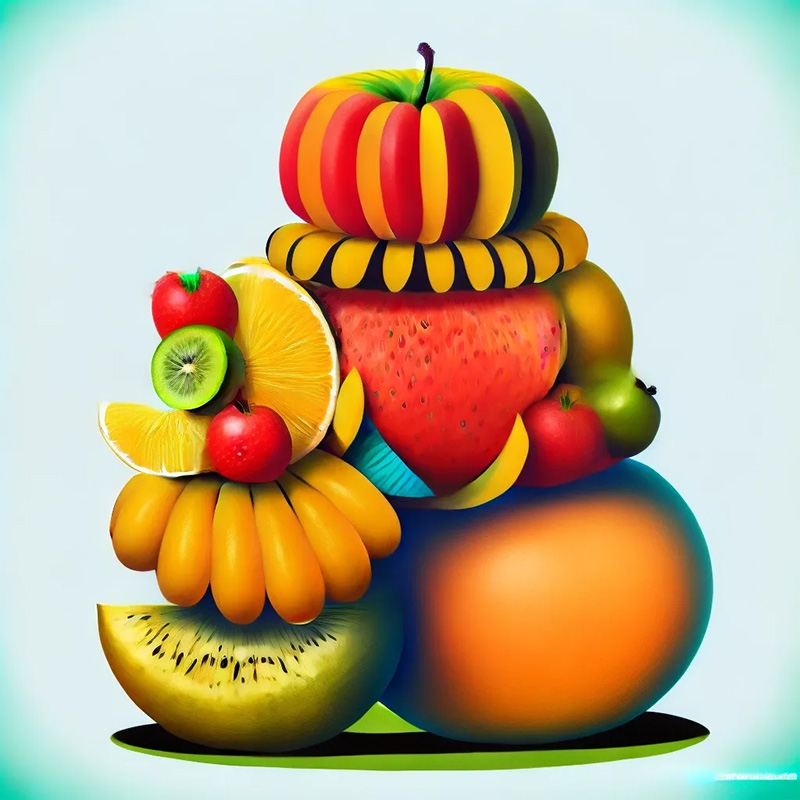
vibrant illustrated stack of fruit
[/fusion_text][/fusion_builder_column_inner][/fusion_builder_row_inner][fusion_text columns= » » column_min_width= » » column_spacing= » » rule_style= » » rule_size= » » rule_color= » » hue= » » saturation= » » lightness= » » alpha= » » content_alignment_medium= » » content_alignment_small= » » content_alignment= » » hide_on_mobile= »small-visibility,medium-visibility,large-visibility » sticky_display= »normal,sticky » class= » » id= » » margin_top= » » margin_right= » » margin_bottom= » » margin_left= » » fusion_font_family_text_font= » » fusion_font_variant_text_font= » » font_size= » » line_height= » » letter_spacing= » » text_transform= » » text_color= » » animation_type= » » animation_direction= »left » animation_color= » » animation_speed= »0.3″ animation_delay= »0″ animation_offset= » » logics= » »]
Utilisation de paramètres avec Remix
Vous pouvez ajouter ou supprimer des paramètres tout en utilisant le mode Remix, mais vous devez utiliser des combinaisons de paramètres valides. La modification de
/imagine prompt illustrated stack of pumpkins --version 3 --stylize 10000
pour illustrated stack of pumpkins --version 4 --stylize 10000 renverra une erreur car Midjourney Model Version 4 est incompatible avec le paramètre Stylize.
Seuls les paramètres qui influencent normalement les variations fonctionneront lors de l’utilisation de Remix :

Changer les proportions avec Remix étirera une image. Cela n’allongera pas la toile, n’ajoutera pas de détails manquants ou ne corrigera pas un mauvais recadrage.
Comment activer Remix
Utilisez la commande Paramètres
Tapez /settings et sélectionnez Remix dans la fenêtre contextuelle.
🎛️ Remix
Utilisez la commande Prefer Remix
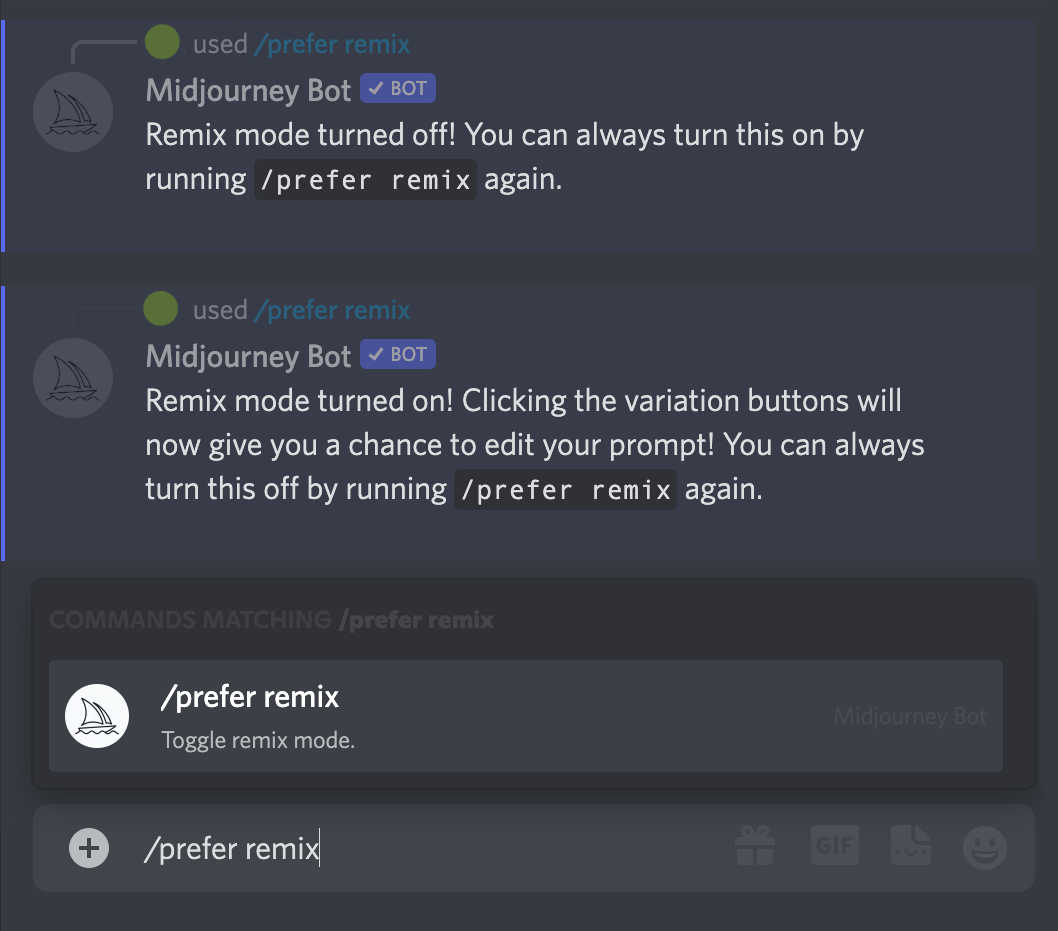
Tapez /prefer remix pour activer et désactiver le mode Remix.
[/fusion_text][/fusion_builder_column][/fusion_builder_row][/fusion_builder_container][fusion_global id= »4258″]